![Logomark.png]](https://help.congenius.com/hs-fs/hubfs/Logomark.png?height=40&name=Logomark.png)
Editing & Deleting Contacts
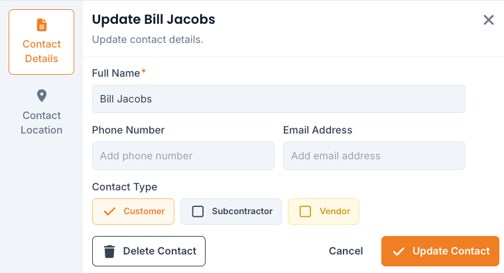
Step 1: Click on the "Contacts" tab at the top of your screen
Step 2: Search or browse contacts, and click on "Contact Name" or the "View" button on the far right
Step 3: To edit contact or company details, click the " " button
Step 4: To delete contacts or companies, click the "" button and click "Delete Contact" on the bottom left of the "Update Contact" panel
Editing & Deleting Projects
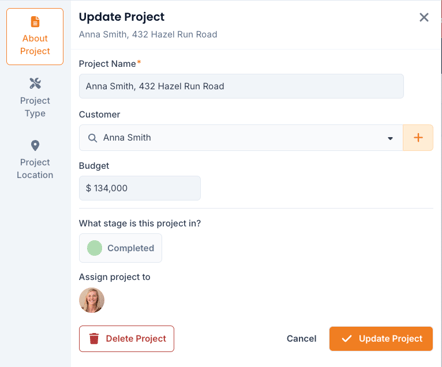
Step 1: Search or click to open a project
Step 2: Click the "" button to modify project details
Step 3: If you are looking to delete the project, click the  button on the bottom left of the "Update Project" panel, or click the triple dots on a project card and click "Delete"
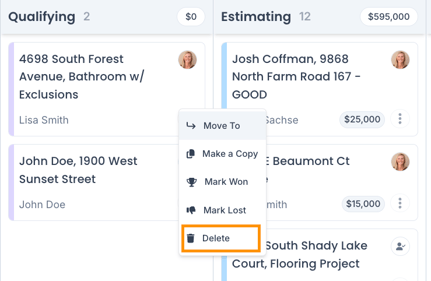
Step 4: Type "delete" to confirm project deletion
Tips
You can also "Archive" projects which will allow you to hide archived projects on the project board.